-
- CNC Panel SawCNC Router MachineAutomatic Edge Banding MachineSix Sided CNC Drilling Machine
- Application
![news]()
How Can a Computer Panel Saw Import and Optimize Cutting Lists?
Views: 0 Author: Site Editor Publish Time: 2026-08-10 Origin: Site
![facebook sharing button]()
![twitter sharing button]()
![line sharing button]()
![wechat sharing button]()
![linkedin sharing button]()
![pinterest sharing button]()
![whatsapp sharing button]()
![sharethis sharing button]()
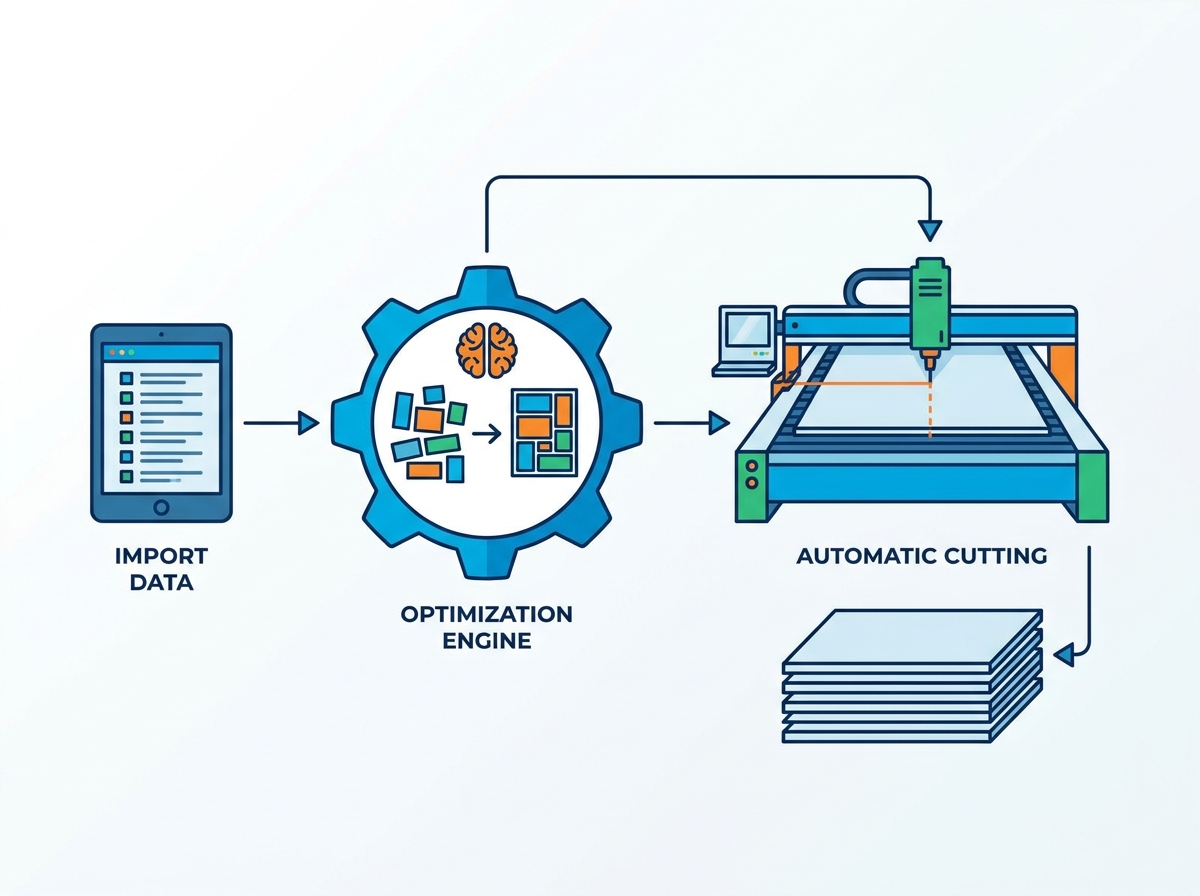
The production bottleneck between the design office and the shop floor dictates whether a shift makes money or burns material. When operators manually type cut lists into a machine interface, material yield drops and labor hours spike. Every minute spent entering dimensions is a minute the blade sits idle. Manual data entry also guarantees human error, leading to miscut parts, wasted sheet goods, and stalled assembly lines. To fix this, high-volume shops use integrated digital workflows. A modern Computer Panel Saw relies on advanced software to pull data directly from CAD/CAM programs. This setup calculates optimal cutting patterns automatically and drives the machine without operator guesswork. It bridges the gap between engineering and the cutting floor, turning raw digital files into maximum physical yield.
Key Takeaways
Seamless Data Transfer: Modern systems eliminate manual entry by importing CSV, Excel, or direct CAD/CAM files, drastically reducing human error.
Algorithmic Yield Maximization: Dedicated panel cutting optimization software calculates complex guillotine cut patterns to maximize material yield while accounting for blade kerf and grain direction.
Hardware Integration: Coupling optimization software with an automatic feeding panel saw ensures that digital efficiency translates directly into physical throughput.
Implementation Reality: Success depends on standardizing data formats upstream and training operators to follow software-generated sequencing rather than traditional manual habits.
The Strategic Role of a Computer Panel Saw in High-Volume Workflows
Problem Framing
Defining success in a high-volume cutting operation requires looking beyond raw cutting speed. True production efficiency is measured by specific, rigorous criteria on the shop floor. A highly optimized cutting department should consistently hit strict performance benchmarks to remain profitable.
Material yield must exceed 90 percent to minimize expensive scrap on premium sheet goods.
The dimensional error rate must drop below one percent so edge banding and assembly stages receive perfect parts.
Machine idle time must be virtually eliminated.
Operator fatigue must be managed through logical part sequencing and automated handling.
If a saw waits for an operator to calculate the next cut or input dimensions, you lose capacity. Achieving these metrics requires a systemic shift in how you handle cutting data. You cannot rely on a worker with a tape measure and a notepad when processing hundreds of sheets per shift.
Evolution from Manual to Digital
Traditional panel processing relied heavily on operator intuition. A skilled worker would review a printed cut list, mentally map out the best way to break down a sheet of plywood or melamine, and manually set the saw fence for each pass. This method is slow, inconsistent, and highly dependent on the individual's mood and fatigue level.
The digital-first approach fundamentally changes the workflow. Instead of relying on human calculation, the machine receives a complete digital map of the entire job. The operator transitions from a manual laborer calculating cuts to a machine supervisor managing material flow. They monitor digital execution, ensure the loading area is stocked, and clear finished parts. The software handles the heavy lifting of spatial geometry.
The Hardware-Software Link
Mechanical robustness is only half of the equation. A saw may feature heavy-duty linear guides, powerful main motors, and rapid carriage speeds. However, its physical capabilities depend entirely on the quality of the cutting list data it processes. If the imported data is flawed, unoptimized, or poorly sequenced, the machine simply executes inefficient cuts at high speeds.
The true strategic advantage emerges when precision hardware links seamlessly with intelligent data processing. Every blade movement must contribute to maximum yield and minimum waste. The controller must know exactly where the pneumatic grippers are located to avoid cutting into them, and it must calculate the exact over-travel required for the scoring blade to prevent chip-out on the exit edge.
Methods for Importing Cutting Lists into the Saw's Control System
Manual Entry vs. Batch Importing
Manual entry at the machine's Human-Machine Interface (HMI) is a massive time-sink. When operators manually define raw panel sizes, select material types, and input individual part dimensions, they expose the production line to typographical errors. Typing out variables on a touchscreen while wearing work gloves is tedious and prone to mistakes.
Batch importing represents the standard baseline for modern shops. By importing CSV, TXT, or Excel files generated by external design software, facilities load hundreds of parts into the saw's controller in seconds. This method bypasses the HMI bottleneck completely. The machine begins processing the optimization algorithms immediately, keeping the blade moving and parts flowing.
Direct CAD/CAM Integration
Advanced manufacturing environments utilize networked workflows to push data directly from the engineering department to the shop floor. Design software platforms generate precise cut lists based on the 3D models approved by the client. Through API integrations or shared network folders, these cut lists push directly to the saw's control system.
The operator simply selects the active job from the network directory, loads the specified material, and initiates the cycle. This direct integration removes all intermediate data handling steps. There are no USB drives to lose, no printed spreadsheets to misread, and no manual file conversions required at the machine console.
Overcoming Data Formatting Challenges
Importing external data is rarely flawless on the first attempt. Facilities frequently encounter import errors, such as mismatched columns, unrecognized special characters, or incompatible file extensions. A common issue occurs when the CAD software exports a column for edge banding thickness that the saw's controller does not recognize, causing the entire import to fail.
Standardizing part naming conventions across the entire company ensures the software always reads the data correctly. Utilizing mapping templates within the saw's import utility allows the controller to translate incoming CSV columns into the exact fields required by the optimization engine. You map the "Length" column from the CAD export to the "X-Axis" field in the saw, locking the template for all future jobs.
Data Import Workflow Comparison
Import Method
Data Source
Error Risk
Setup Time Per Job
Manual HMI Entry
Printed paper lists
High (Typographical errors)
15 - 45 minutes
USB Batch Import
CSV/Excel files
Medium (Version control issues)
2 - 5 minutes
Networked CAD/CAM
Direct API / Shared Folder
Low (Automated mapping)
Under 1 minute
![Computer Panel Saw Processing Cut Lists]()
Evaluating Panel Cutting Optimization Software
Core Algorithms and Guillotine Cuts
The foundation of any panel cutting optimization software is its ability to calculate guillotine cuts. Due to the mechanical design of beam saws, the blade must travel in a straight, continuous line from one edge of the material to the other. The software must arrange parts so that every cut separates the board completely without intersecting parts intended for later passes.
The algorithm constantly weighs the trade-off between absolute maximum material yield and practical cutting time. A highly complex, nested pattern might save an extra square inch of material. However, if it requires the operator to rotate the panel five additional times, it costs more in labor and machine time than the saved material is worth. Good software allows you to set parameters prioritizing speed over absolute yield when processing cheap materials like MDF.
Accounting for Physical Constraints
Digital optimization must account for physical reality on the shop floor. The software automatically deducts the blade kerf from the raw material dimensions. The kerf includes the exact thickness of the main blade and the scoring blade. If kerf is not calculated, every subsequent part in the cut sequence will be undersized. A standard beam saw removes a straight 3.2mm or 4.4mm path, which adds up quickly across a full sheet.
The software must also handle grain direction requirements. For cabinet fronts, the wood grain must often run continuously across multiple doors and drawers. The optimization engine allows users to lock specific parts to a horizontal or vertical axis. This ensures aesthetic continuity while still maximizing the remaining yield. Allowances for edge banding thickness are also calculated here, ensuring the final cut size accommodates the added PVC or veneer.
Sequencing and Operator Efficiency
Advanced sequencing functions logically order cuts to minimize physical handling, reduce operator fatigue, and limit the rotation of heavy panels. A well-sequenced program groups similar cuts together. It pushes finished parts to the front of the machine quickly to clear the work area, rather than leaving small parts trapped behind the cut line.
Barcode labeling integration is a major component of this sequence. As parts are cut, the software triggers a label printer at the saw. The operator applies a barcode containing the part name, dimensions, and routing instructions. This label tracks the part through downstream processes, ensuring seamless transitions to CNC point-to-point routers or edge banders. The operator does not need to guess which part is which; they just scan and move on.
Hardware Synergy: The Automatic Feeding Panel Saw
Translating Digital Optimization to Physical Execution
Digital optimization reaches its full potential when paired with automated hardware. An automatic feeding panel saw reads the optimized list and translates it into precise servo-motor movements. The machine's rear pusher and pneumatic gripper clamps position the material autonomously.
They advance the sheet to the exact millimeter required for the next cut. OEM software ecosystems seamlessly bridge the gap between the optimization algorithms and the physical execution programs. The hardware movements exactly mirror the digital map, ensuring the grippers release at the exact moment the pressure beam clamps down.
Throughput Scalability
Automated feeding systems drastically compound the time saved by software optimization. By utilizing rear lifting tables or vacuum loading systems, the saw processes continuous stacks of material. Instead of cutting a single sheet of 18mm melamine, the automatic feeder loads and grips three or four sheets simultaneously.
The optimization software calculates the stack height and adjusts the blade projection accordingly. This multiplies the throughput without requiring additional operator effort. The side aligner automatically squares the stack against the crosscut fence, ensuring perfect 90-degree corners even when cutting four sheets deep.
Managing Offcuts and Remnant Tracking
Material efficiency extends beyond the current job. Advanced systems feature remnant tracking to manage usable offcuts. When the optimization software determines that a leftover piece of material is large enough to be reused, it generates a specific barcode for that remnant.
The operator scans the offcut back into the inventory database and places it on a designated remnant rack. During the next optimization run, the software prioritizes these logged remnants before calling for a new, full-sized sheet from the warehouse. This drastically reduces long-term material waste and keeps the shop floor clear of unusable scrap.
Implementation Risks and Mitigation Strategies
Software Compatibility and Legacy Systems
Integrating modern software with older machinery presents significant risks. Third-party optimization software may fail to communicate with proprietary legacy saw controllers. This results in garbled code, machine errors, or axes moving in the wrong direction.
You must verify post-processor availability before finalizing any software purchases. Conduct test imports using actual shop data. This ensures the legacy controller can accurately read and execute the modern G-code or proprietary machine language generated by the new software. Do not trust a sales brochure; demand a live test on your specific machine model.
Operator Adoption Hurdles
Even the best software fails if the shop floor rejects it. Veteran operators often resist optimized sequences because the algorithmic patterns look counterintuitive compared to traditional manual methods. An operator might feel that a specific cut order is wrong because it requires an unfamiliar handling sequence or leaves a strange offcut shape.
Management must mandate adherence to the digital sequence. Provide comprehensive training on why the machine cuts the way it does. Operators need to understand how algorithmic optimization prioritizes total sheet yield and overall job speed over localized, intuitive cutting logic. Once they see the physical labor reduction, adoption usually follows.
Verifying Real-World Yield vs. Software Projections
There is often a discrepancy between projected material savings and actual shop floor usage. Software assumes every sheet of material is perfect. In reality, material defects, warped boards, or forklift handling damage render parts of a sheet unusable. This throws off the entire optimized pattern.
Implementing a feedback loop is mandatory. Operators must be trained to log damaged panels or defective cuts directly into the saw's interface. This allows the software to instantly re-optimize the remaining parts onto new sheets, keeping production moving while maintaining accurate inventory counts. If a corner is crushed, the operator must be able to tell the software to perform a trim cut before starting the main pattern.
Common Deployment Roadblocks
Implementation Risk
Operational Impact
Mitigation Strategy
Legacy Controller Incompatibility
Software generates code the saw cannot read, halting production.
Verify post-processors and conduct live test imports before purchase.
Operator Resistance
Workers override software, reducing yield and wasting material.
Mandate digital adherence and explain algorithmic yield benefits.
Unaccounted Material Defects
Optimized patterns fail due to damaged edges or warped boards.
Create a feedback loop for operators to log defects and trigger re-optimization.
Data Mapping Errors
Incorrect dimensions imported due to CSV column mismatches.
Standardize CAD export templates and lock import mapping fields.
Decision Framework: Selecting the Right System for Your Shop
Assessing Production Volume and Material Costs
Investing in advanced cutting technology requires a clear financial justification based on shop volume. Facilities should calculate their monthly sheet goods expenditure. If a shop spends heavily on premium veneers, high-grade plywood, or specialized acrylics, even a 4 to 6 percent increase in material yield generated by advanced software pays for the system within months.
Conversely, lower-volume shops processing cheap MDF must weigh the software cost against labor savings rather than just material yield. If the software allows one operator to do the work of two, the investment makes sense regardless of the material cost.
Overall Value Influencing Factors
When evaluating systems, production managers must analyze the trade-offs. The upfront cost of an integrated automatic feeding panel saw is substantial. However, this capital expenditure must be compared against the long-term return on investment.
Automated systems reduce the required labor headcount in the cutting department. They lower scrap rates and significantly increase the volume of parts pushed to the assembly line per shift. The reliability of the output also reduces bottlenecks at the edge bander, as perfectly square parts feed through downstream machinery without jamming.
Evaluating Vendor Support
The relationship with the machine manufacturer does not end at installation. Evaluating a vendor's technical support infrastructure is a major part of the buying decision. Facilities must ensure the vendor provides robust support for software updates, post-processor adjustments, and remote machine calibration.
Check if the vendor offers remote desktop troubleshooting directly into the saw's controller.
Verify the availability of local technicians for mechanical breakdowns.
Ask about the frequency of software updates and whether they are included or require a subscription.
Confirm that the vendor can write custom post-processors if you change your CAD software in the future.
If the optimization software requires an update to communicate with a new CAD program, the vendor must be capable of deploying that patch quickly to prevent production downtime.
Conclusion
Audit your current CAD/CAM export capabilities to ensure they generate clean, standardized CSV or XML files without manual editing.
Request a live demonstration from vendors using your shop's actual, complex cut lists to verify import compatibility and post-processor accuracy.
Establish standard operating procedures for remnant tracking and defect logging to ensure real-world yield matches software projections.
Train your cutting department operators on barcode labeling workflows to prepare for downstream CNC integration.
FAQ
Q: What file formats can a computer panel saw import?
A: Most modern controllers accept standard formats like CSV, TXT, and Excel files. Advanced systems also import XML files or proprietary outputs directly from CAD/CAM software. Successful importing relies heavily on accurate column mapping to ensure length, width, and material fields align perfectly with the saw's database.
Q: How does panel cutting optimization software account for blade kerf?
A: The software automatically adds the exact thickness of both the main blade and the scoring blade to the dimensions of each cut line. This ensures the final part sizes are perfectly accurate, which is mechanically distinct from how CNC routers use bit diameter compensation for toolpaths.
Q: Can optimization software handle wood grain direction?
A: Yes. Users can lock specific parts to either a horizontal or vertical axis within the software interface. This ensures grain continuity across adjacent cabinet doors and drawer fronts, balancing aesthetic requirements with maximum material yield.
Q: What is the difference between an integrated optimizer and third-party software?
A: Integrated optimizers are OEM software provided by the saw manufacturer, designed for seamless hardware communication. Standalone third-party solutions often offer more advanced sequencing, complex remnant management, and the ability to send cut lists to multiple machine brands across a large facility.
Q: How does an automatic feeding panel saw utilize an optimized cut list?
A: The machine's controller translates the digital cutting map into precise servo-motor instructions. It autonomously commands the rear material pushers and pneumatic grippers to advance the panels to the exact millimeter required for each programmed guillotine cut.
Q: Can cutting lists track usable offcuts?
A: Yes. Advanced remnant management features allow the software to generate barcodes for offcuts that exceed a minimum specified dimension. These pieces are saved in the digital material library and automatically prioritized for use in the next optimization run.

![English]()
![zhifufuben]()